
An eSIM (embedded SIM) is a digital SIM card built into your phone. Unlike a traditional plastic SIM, an eSIM is programmed over the air by your carrier. In practice, this means you can activate a mobile number on your device without inserting any physical SIM. The eSIM securely stores your subscription and network credentials. You can even save multiple numbers on one eSIM and switch between them in settings. In short, an eSIM does the same job as a normal SIM but offers much more flexibility.
Why use an eSIM?
- No physical SIM swaps: You don’t need to insert or swap plastic cards. An eSIM lets you download or switch carriers right from your phone’s settings. This is great for travelers or anyone who changes plans often.
- Travel ease: For example, instead of buying a local SIM card abroad (and paying roaming fees), you can simply download a prepaid data plan for your destination using the eSIM.
- Dual-SIM flexibility: If your phone has one SIM slot, an eSIM lets you keep two numbers active (e.g. one for work, one for personal) without needing two cards. You can toggle between them in your device’s settings.
- Device compatibility: Many modern devices use eSIMs – not just phones but also smartwatches, tablets, and IoT gadgets. Using an eSIM frees up space inside small devices, and allows remote provisioning by the manufacturer or carrier.
- Eco-friendly and secure: eSIMs are paperless and reduce plastic waste (Telenor Pakistan highlights that its eSIM is a “paperless eSIM solution” promoting fewer plastic SIMs). They also reduce risk of SIM-theft since there’s no tiny card to steal.
How to get an eSIM in Pakistan
All major Pakistani mobile operators now offer eSIM. The exact steps differ by provider, but generally you visit a store or use an app to register your number and scan a QR code. For example, Telenor Pakistan recently launched nationwide eSIM service for all users, and new digital operator Onic allows you to order an eSIM directly through its app. Below are the steps for each provider:
Jazz eSIM
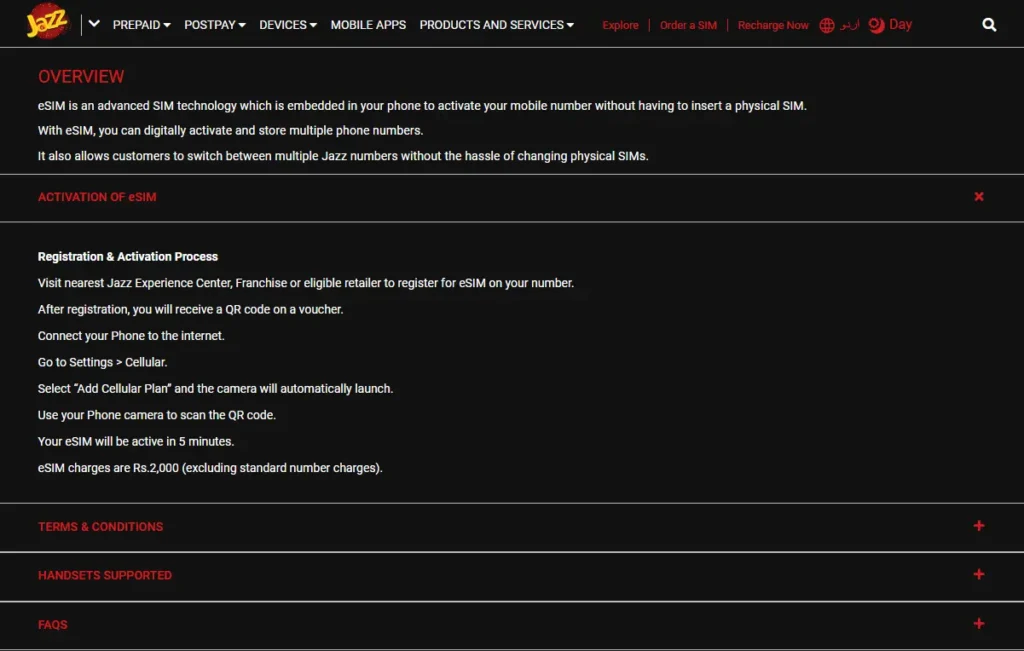
- Register in person: Go to any Jazz Experience Center, franchise or authorized retailer with your ID. You’ll undergo a simple biometric verification (fingerprint) as part of the signup.
- Get the QR code: After registration, Jazz will give you a voucher with a QR code.
- Activate on your phone: Connect your phone to the internet, then open Settings → Cellular → Add Cellular Plan. Point your camera at the QR code to scan it. The eSIM profile will download and be active in about 5 minutes.
- Charges: Jazz eSIM costs Rs.2,000 to switch (convert) an existing Jazz number, or Rs.5,000 if you want a brand-new number. The fee covers the eSIM setup (standard number fees apply separately).
- Finishing up: Once the eSIM is active, your old physical SIM is automatically deactivated for that number. You can then use the freed-up SIM slot for a second line if you wish.
Ufone eSIM
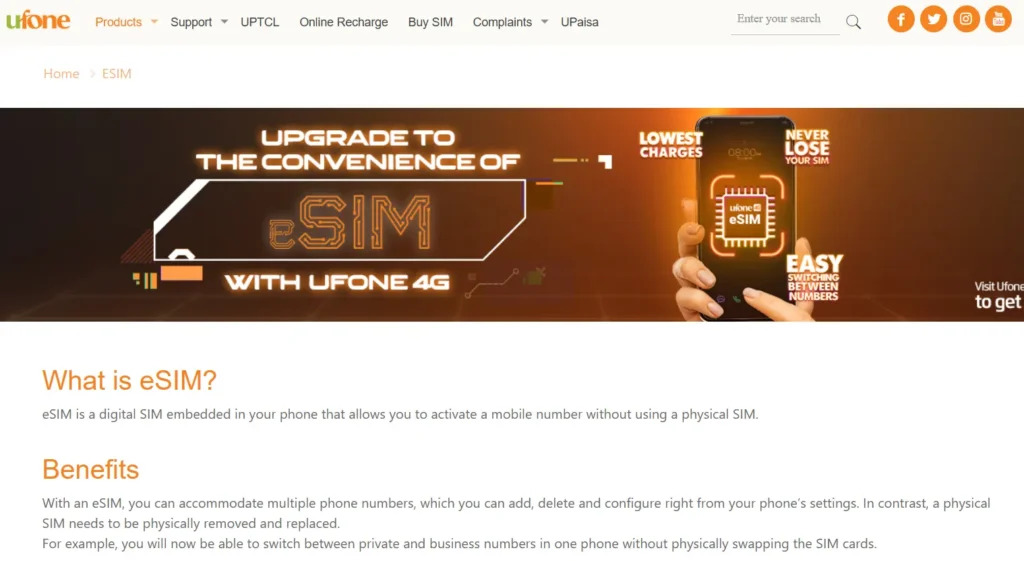
- Where to go: In major cities, visit a Ufone franchise, joint shop or service center for the eSIM setup.
- Verification: You will complete a biometric check (fingerprint) as required for activation.
- Get the QR code: The Ufone agent will provide you a printed QR voucher after registering your info.
- Activate on phone: On your device, open Settings → SIM/Card Manager → Add eSIM plan (Android) or Settings → Cellular → Add Cellular Plan (iPhone). Scan the QR code with your phone’s camera. If prompted, enter the default PIN 0000 to finish activation.
- Charges: Ufone charges Rs.2,000 for the eSIM activation (this excludes any fees for premium or special numbers).
- Service continuity: All your existing Ufone services (data bundles, call plans, etc.) will carry over to the eSIM automatically, and yes, your eSIM will work when roaming.
Zong eSIM
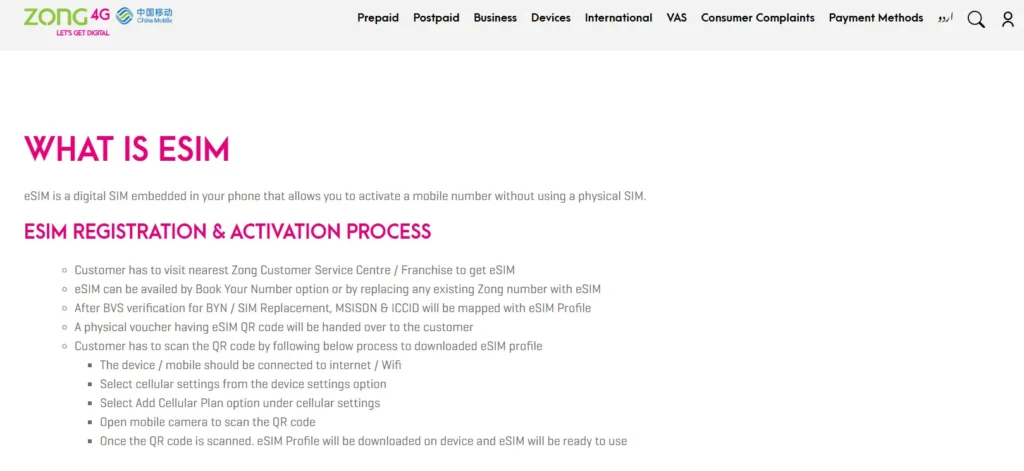
- Where to go: Visit the nearest Zong Customer Service Centre or franchise. Request an eSIM for your number (you can choose to port an existing SIM to eSIM, or sign up for a new number with eSIM).
- Verification: Complete the usual identity check (this may include biometric verification) so Zong can map your number to the eSIM profile.
- Get the QR code: Zong will hand you a physical voucher containing the eSIM QR code after verification.
- Activate on phone: On your smartphone go to Settings → Cellular (or SIM settings) → Add Cellular Plan. Scan the Zong QR code to download the eSIM profile onto your device. Within moments your Zong service will be live on the eSIM.
- Charges: Zong’s eSIM activation fee is Rs.2,000 (standard number costs extra, if applicable).
- Service continuity: All your existing Zong services and tariffs continue to work on the new eSIM. The eSIM also supports roaming as normal.
Onic eSIM
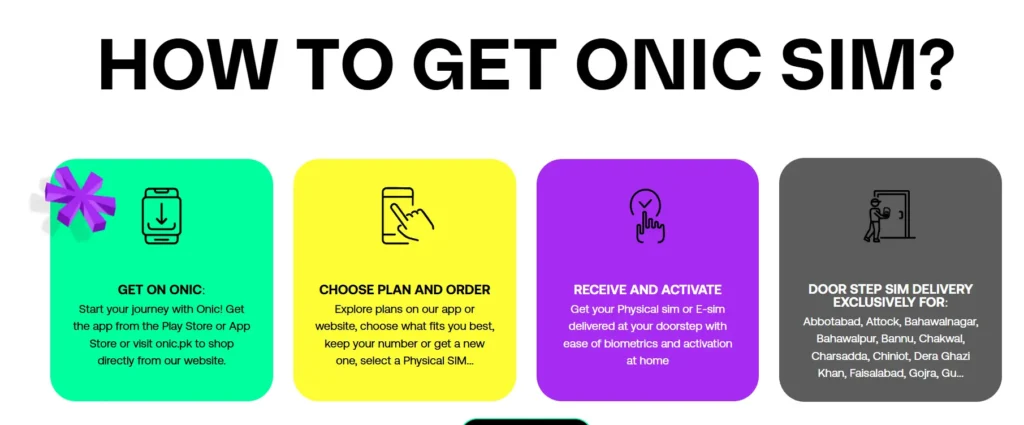
- Order online: Download the Onic app (Android or iOS) or visit onic.pk. Choose a prepaid plan and select “Physical SIM or eSIM”. You can keep your current number or get a new one.
- Home delivery: Onic will courier your SIM card or eSIM voucher to your address. Delivery is free, and they offer free biometric SIM activation at your doorstep. This means an Onic agent comes to you to scan your ID/fingerprint.
- Cost: Onic does not charge any fee for the eSIM itself – it’s free with your plan. (You only pay the plan price.)
- Activate: Once you receive the voucher, use your phone’s settings to scan the QR code just as above, or let the Onic agent do it for you during the home visit.
Telenor eSIM
- Where to go: Telenor launched eSIM service nationwide for all prepaid and postpaid customers. To get one, simply visit any Telenor Sales & Service Center or authorized retailer and request eSIM activation. Bring your ID for verification.
- Get the QR code: The Telenor staff will issue you a QR code.
- Activate on phone: In your phone’s settings choose Add Cellular Plan and scan the Telenor QR code. Follow the prompts on screen to download the eSIM profile. It’s a paperless, fully digital process.
- Benefits: Telenor emphasizes that its eSIM is a paperless, secure alternative to the traditional SIM. According to Telenor, this reduces plastic waste and adds convenience. (Pricing may vary; ask the store for current fees, but expect it to be similar to other carriers.)
Phone compatibility
Note that not all phones support eSIM. Most modern flagships do – for example, many iPhones (XR/XS and newer) and recent Android models (Samsung Galaxy S20/S21/S22, S24 series, Pixel 3 and above, Huawei P40/P50, etc.) are eSIM-ready. Check your device’s specs or carrier website before signing up.
Summary:
An eSIM is just a digital SIM profile in your phone, and in Pakistan you can get one from Jazz, Ufone, Zong, Telenor or Onic. Each operator requires a short signup process (usually in-person with ID), then gives you a QR code to scan in your phone. Once scanned, your number is live on the eSIM – no tiny plastic card needed. This modern SIM technology makes switching plans or adding a second line much easier, and is especially handy for travelers and multiple-device users